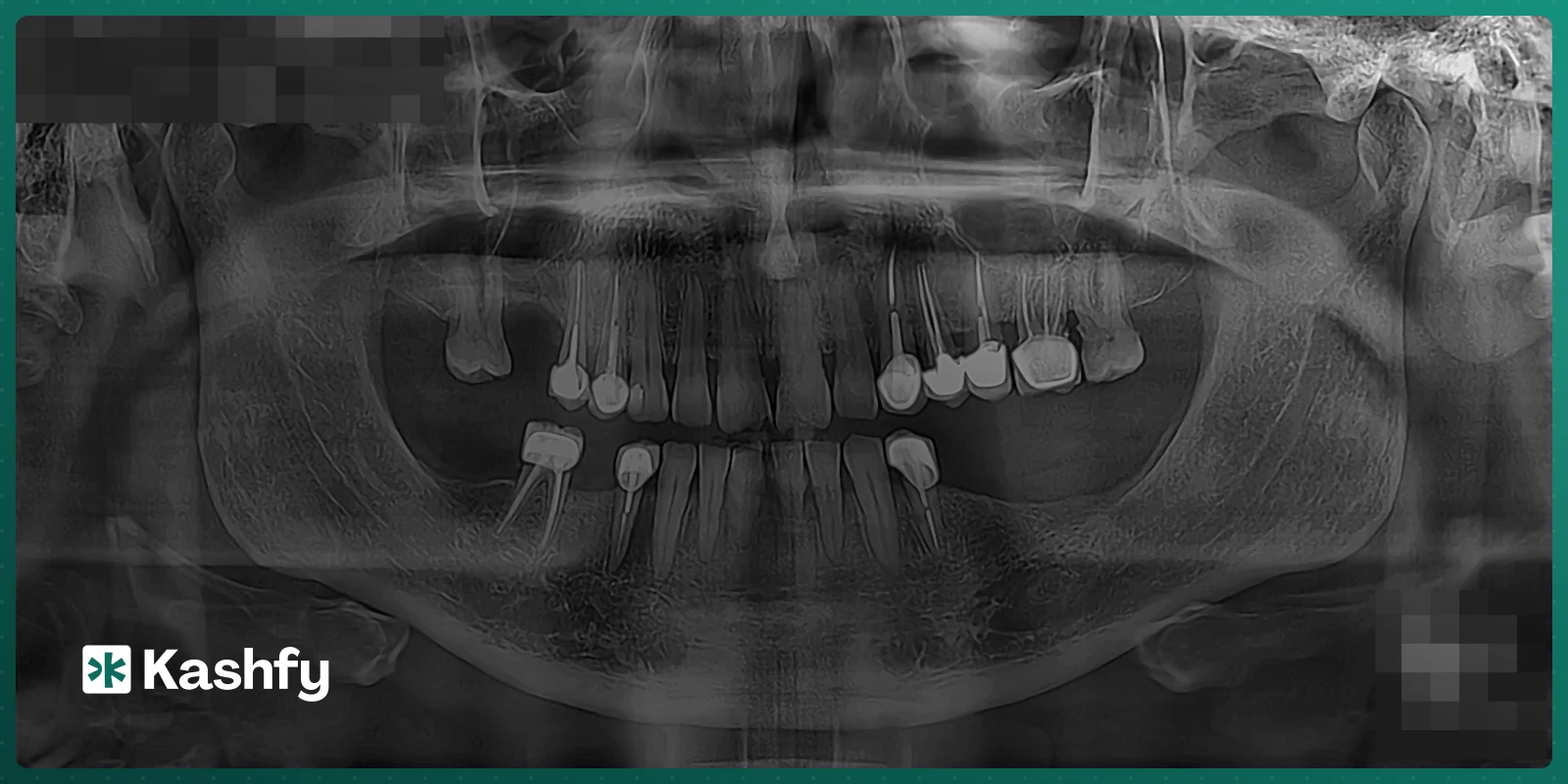
Every new patient in a dental clinic starts the same way: a panoramic X-ray (OPG) on the screen and an empty tooth chart next to it. Before you even talk treatment, you spend minutes clicking tooth after tooth: this one is missing, that one has a crown, this one had a root canal, there is an implant here.
That work is pure transcription. The information is already on the film. So we taught Kashfy to read it for you, and to leave the decisions to you.
Where the X-ray comes from
You don't need to do anything special. A panoramic reaches Kashfy the way files already do:
- The patient sends it on WhatsApp or Telegram before the visit.
- The patient uploads it from the patient portal.
- You or your assistant upload it in the visit, under Investigation results, right above the chart.
Kashfy already sorts every file a patient sends (lab result, prescription, X-ray...). When it recognizes a dental panoramic, it sends the film to be read automatically. About 25 to 30 seconds later, the file shows a Review X-ray button, and a strip on the chart says how many teeth are waiting for your review. It also reads the date printed on the film, so the X-ray is filed on the day it was taken, not the day it was sent.
What the AI looks for, tooth by tooth
The model goes through all 32 positions using FDI numbering (11 to 48) and, for each tooth, records what is visible on a panoramic:
- Missing: no tooth, no root, no implant.
- Implant: a threaded fixture in the bone.
- Crown: a full-coverage cap, on a natural tooth or an implant.
- Root canal: filling lines inside the root.
- Post: a post going down into the canal.
- Bridge: an abutment, or a pontic hanging over a gap.
- Filling: a restoration in part of the crown.
Each tooth also gets a confidence score. If the region is blurred, overlapped or cut off, the model says so instead of guessing, and adds a short note for you, for example that the lower incisor numbering near the midline is approximate.
The hard part: getting the tooth number right
Spotting a crown is easy. Knowing whether it sits on 46 or 47 is not. When teeth are missing, the neighbours drift and tip into the gaps, and a reader that counts from the back will shift the whole quadrant by one tooth. A wrong number costs you more time than no reading at all.
So the reading is told to name each tooth by its anatomy, not just its position: single thin roots for incisors, the long canine root, two roots on lower molars and three on upper ones. It anchors on the midline and the canines, measures gaps (a molar gap is about one molar wide), and checks that no quadrant ends up with more than 2 incisors, 1 canine, 2 premolars and 3 molars. We tested several models on the same films and picked the one that kept the numbering right across gaps, run after run.
You review, then it goes on the chart
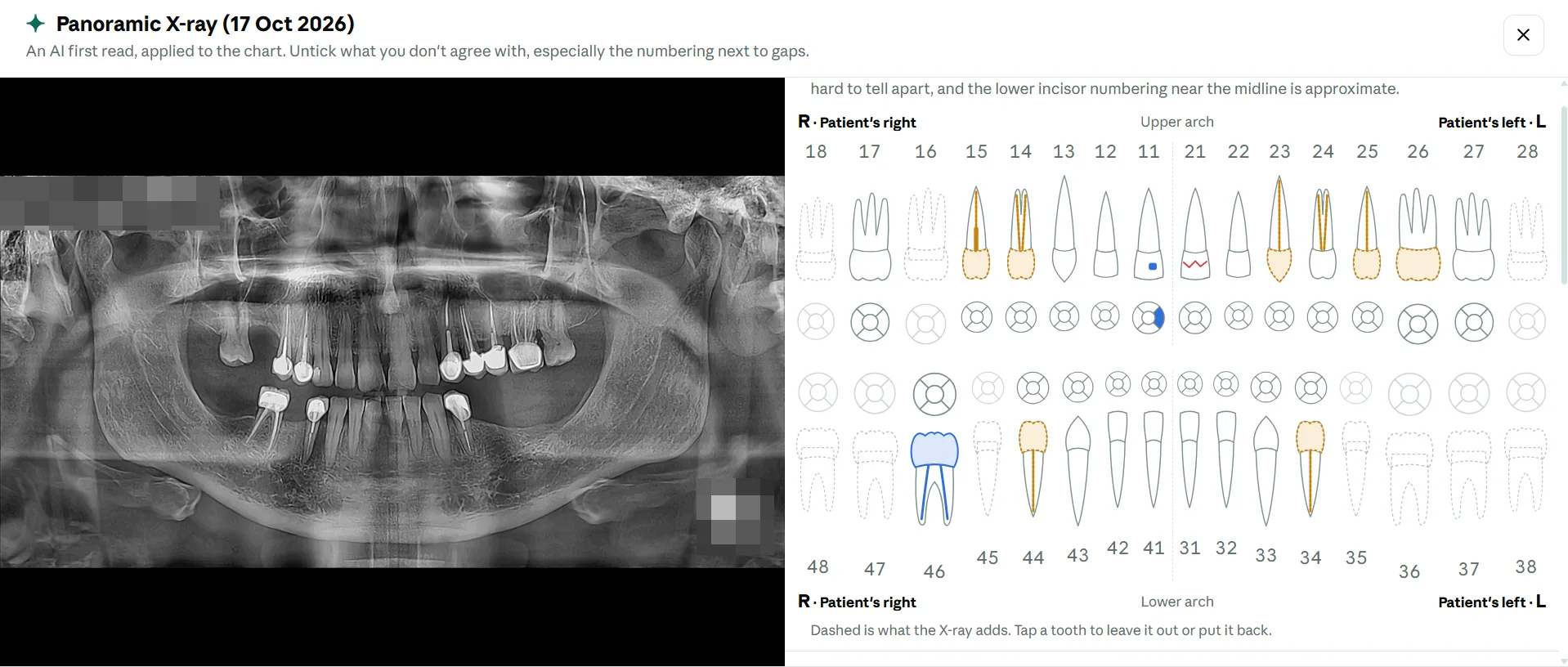
Nothing reaches the chart on its own. Review X-ray opens a full-screen view with the film on one side and the chart on the other (stacked on a phone). The reading starts applied, and everything it adds is drawn dashed so you can tell it apart from what you charted yourself.
- Every tooth is listed with what was seen and how sure the reading is. Anything below 60% is marked Unsure and left unticked.
- Tap a tooth, on the chart or in the list, to leave it out or put it back.
- If the X-ray disagrees with something already on the chart (you charted caries, the film shows the tooth missing), the tooth is marked Replaces chart and shows what the chart has now. You decide which one wins.
- Press Chart N teeth and you're done. Later keeps it waiting, Dismiss X-ray hides it.
Every change is saved in the tooth's history as "from X-ray", including anything that was taken off, so you can always see where an entry came from.
What it will never do
The AI does not diagnose. It does not look for caries, bone loss, periapical lesions or impactions. Those need a dentist's eye and usually a sharper film than a panoramic. Its only job is the clerical part: turning what is plainly visible on the film into chart entries, so the chart is ready when you sit down with the patient.
Try it
Panoramic reading is part of Kashfy's dental modules, alongside the tooth chart, treatment plan, patient account and lab orders. Open a dental patient, upload a panoramic under Investigation results, and watch the chart fill in about half a minute.